Secure Release with QR code User Experience
A feature to enable secure and seamless printing experience
IOS/Web Development Using Figma, React, Swift
Overview
Universal Print is a cloud-based print management service from Microsoft that allows organizations to manage and print documents from anywhere, without the need for on-premises print servers.
QR code is a secure release method supported by Universal Print. Users can scan a QR code with the Microsoft 365 mobile app to release their documents.
In this project, my role involved collaborating closely with the UI designer and Product Managers to understand customer needs and iterate on the design. I was also responsible for the development of the feature on the Office M365 iOS app and Azure Admin Web Portal, which is now available to the public.
Public Documentation
01
Define
User Profiles
Role
Software Enginneer
Collaborated with UI designers and product managers to deliver the secure release feature, ensuring a seamless and efficient printing experience for users.
02
How it worksPrinter Administrator UI
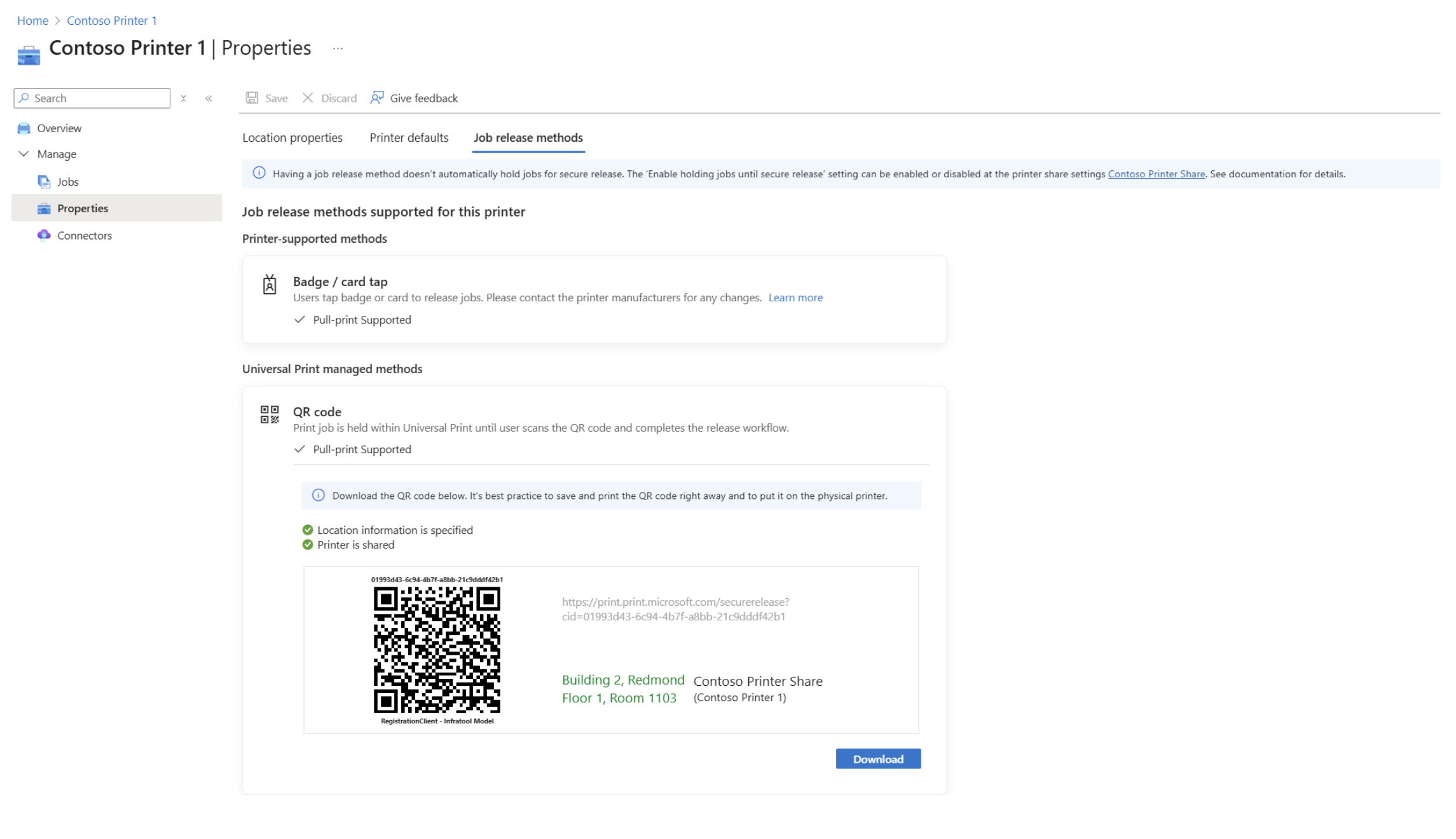
On Azure Portal, the IT or printer administrator can select "Job Release Methods" to view available printing options and configurations defined by the printer manufacturer. Then, they can attach the QR code to the physical printer. The UI on the Azure Portal website is clear and intuitive, providing admins with a seamless experience by offering detailed, specific information for each operation.
Users who print
People in the organization can send documents to the printer and release them by scanning the QR code on the printer using the Microsoft 365 app. They can sign in with their corporate account, walk up to the printer, and scan the QR code with their phone’s camera app. A confirmation dialog will appear, displaying the printer location, which should match the QR code, allowing customers to select and release their print job. The mobile app is user-friendly, with clear indicators on how to print. It saves time and offers secure solutions, making the printing process more efficient and reliable.